Breakdown9 min read
Linux root directory folders explained
Linux · Filesystem · Systems · Learning
A breakdown of the top-level tree under / : what each common name is for, which entries are real directories vs virtual filesystems vs compatibility links, and a one-line reference table you can re-check on any host.
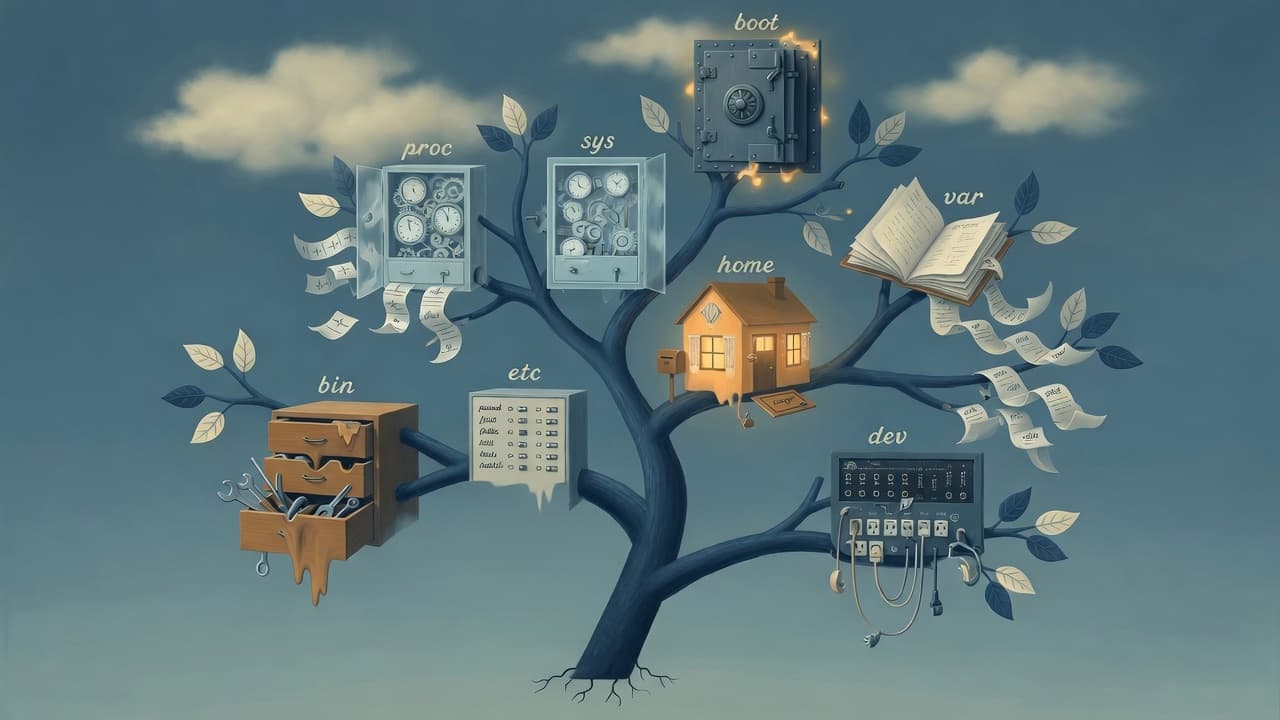
/ is not a junk drawer. It is a layout of responsibilities: software, configuration, variable data, kernel-facing surfaces, and a few historical costumes so old paths still resolve.
This breakdown walks the common top-level names you see after ls -la /—what each role is, what often surprises people (merged /usr, size-0 virtual trees, swap as a file), and a scan table for when memory fails.
One-sentence crystal
The Linux root directory is the top of the filesystem tree: a set of conventional top-level paths that separate (roughly) boot, config, software, variable data, user homes, and kernel/device views—some real directories on disk, some virtual, some compatibility symlinks.
How to read an ls -la line
The listing is the primary source. FHS is the map that mostly matches it.
drwxr-xr-x 20 root root 4096 Jun 30 06:52 boot
| Field | What to tell yourself |
|---|---|
d / l / - | Directory / symlink / regular file—type first |
rwxr-xr-x | Who can read/write/enter (owner, group, other) |
| link count | Directory link counts are easy to misread; do not over-claim |
root root | Owner and group |
| size | For directories, often block size of the entry—not “how full is this tree” |
| mtime | When this entry last changed |
| name | The label under / |
. and .. are the most boring entries and that is fine: self and parent. On /, “parent” is a shrug; they matter for relative paths.
What each top-level name is for
. and ..
Self and parent. Useful for relative paths; not a place to overthink.
bin → usr/bin (often)
On many modern hosts, /bin is a symlink into usr/bin. Same story often for lib and sbin.
Role: historical path for essential commands so scripts that hardcode /bin/sh still work, while packages install under /usr. Merged /usr is a compatibility compromise with history—not a bug.
Trap: recovery modes where /usr is not mounted can feel more brittle on merged layouts. Do not teach “/bin is essential, /usr can be on NFS” as eternal 1998 law without checking this host.
boot
Kernels, initramfs, bootloader files. Serious “do not casually rm” energy is correct.
Role: early boot materials. A tiny full /boot partition that breaks upgrades is a meme because it is real.
cdrom
Traditional mount-point slot for optical media. Often empty on VMs with no drive—convention kept for predictability.
dev
Device nodes and special I/O objects: disks, ttys, null, serial adapters—paths you open.
Role: hardware and pseudo-devices as files. Permissions matter (e.g. serial groups). This is where “everything is a file” becomes a working method, not a sticker.
etc
Host-specific configuration: network, ssh, sudo, service units, fstab—machine identity and policy.
Role: settings that own this machine, as opposed to the bulk of installed software under /usr. Treat it as high-value and reviewable, not a one-off snowflake no one can reconstruct.
home
Ordinary users’ home directories—history, keys, clones, personal state.
Role: human territory. Long-lived services should not hide their only state only under one user’s home if multi-user and service accounts are the real design.
lib → usr/lib (often)
Same merged-/usr story as bin. Shared libraries and multiarch paths.
Role: libraries via historical paths even when bits live under /usr/lib. Compatibility is a kind of UI.
lost+found
Root-only area for fsck salvage after filesystem drama. Empty is good news.
Role: recovery orphans, not a decluttering bin. Files appearing here deserve investigation, not casual deletion.
media vs mnt
Not duplicates:
| Path | Typical role |
|---|---|
media | Automount / “removable media appeared” |
mnt | Admin mount … /mnt/... on purpose |
Predictable conventions beat inventing ad-hoc top-level trees in a hurry.
opt
Optional / third-party “whole tree” software outside the pure distro package map.
Role: vendor tarballs and self-contained app trees when isolation from package-manager purity is intentional.
proc (often size 0)
procfs—not a normal disk folder. The kernel answering questions through file-shaped doors: processes, memory, sysctls under /proc/sys.
Role: live process and kernel information as files. Great for observation; generated content is not your backup dataset. Prefer documented interfaces when stakes are high.
root (the user home, not /)
Home directory of the root user (UID 0), often mode 700.
English overloads “root” for UID 0, filesystem /, and /root. When someone says “check root,” ask: slash or home?
run
Early runtime state: PIDs, sockets, things that need to exist before /var is fully ready. Often tmpfs—reboot and it is gone.
Role: volatile runtime, not durable logs. On many hosts /var/run is a symlink into /run—verify rather than assume.
sbin → usr/sbin (often)
Admin-oriented tools via historical paths. Same merge story as bin.
Role: system tools; PATH and privilege are separate issues from “who is allowed to run this.”
snap (distro-specific)
Ubuntu-style packaging subplot as a top-level directory—not classic FHS purity.
Role: Snap mounts/data when the host uses Snap. Portable automation should not assume /snap exists on every Linux.
srv
Data for services this machine serves. Often empty.
Role: reserved parking for service content—not a failure when vacant.
swap.img (sometimes present)
Not a directory. A regular swap file (e.g. large, mode 600) on some Ubuntu-style installs.
Role: virtual memory as a file at / instead of only a dedicated partition. Easy to mistake for junk in a naive full-root backup—check swapon --show before strong feelings or deletes.
sys
sysfs: devices, drivers, buses, knobs. Virtual tree; size often 0.
Role: hardware and kernel objects as a browsable tree. Writing attributes can change real hardware state—read more than you write until you know the attribute.
If proc is “how does the kernel feel about processes and memory?”, sys is “what device/driver story does the kernel expose?”
tmp
World-writable scratch with a sticky bit (t): you can create files; you should not delete others’. Often tmpfs—fast and forgetful.
Role: shared temporary space. Full /tmp can break builds and tools. Secrets do not belong here.
usr
Bulk of installed userland: bins, libs, share, include. On merged systems this is the real city; bin/lib/sbin are street signs pointing downtown.
Role: mostly read-only software image, distinct from host config (etc) and variable data (var). /usr/local is often “installed outside the distro’s primary package brain.”
var
Logs, caches, package state—data that grows while the system runs.
Role: variable runtime data. Many “Linux is broken” moments are “/var is full.” Log rotation and disk layout are survival, not bureaucracy.
Map of responsibilities
Kernel-facing virtual   proc  sys  dev
Boot & machine local    boot  etc  root  (+ swap file, sometimes)
OS software bulk        usr   (+ bin/lib/sbin links)
Runtime & mutable       run   tmp  var  home  media/mnt/opt/srv
When operating a host, care which paths are ephemeral, which must persist, and which must not fill.
One-line reference table
| Path | One-line explain |
|---|---|
. | This directory (/) itself. |
.. | Parent entry of / (stays at root in normal navigation). |
bin | Often symlink to usr/bin—essential commands via historical path (merged /usr). |
boot | Kernels, initramfs, bootloader files for early boot. |
cdrom | Conventional mount point for optical media (often unused). |
dev | Device nodes and pseudo-devices for hardware and special I/O. |
etc | Host-specific system and service configuration. |
home | Ordinary users’ home directories. |
lib | Often symlink to usr/lib—shared libraries via historical path. |
lost+found | fsck orphan recovery area (root-only). |
media | Automount root for removable media. |
mnt | Admin temporary mount point for filesystems. |
opt | Optional / third-party add-on software trees. |
proc | Virtual procfs: processes and kernel info as files. |
root | Home directory of the root user (not /). |
run | Early, often tmpfs runtime state (PIDs, sockets). |
sbin | Often symlink to usr/sbin—system admin tools via historical path. |
snap | Snap package mounts/data (Ubuntu-style; distro-specific). |
srv | Data for services hosted on this machine (often empty). |
swap.img | Swap file used as virtual memory (not a directory; host-dependent). |
sys | Virtual sysfs: devices, drivers, kernel object tree. |
tmp | World-writable temporary scratch (sticky bit; often tmpfs). |
usr | Main installed userland: bins, libs, shareable read-mostly software. |
var | Variable runtime data: logs, caches, package/service state. |
Closing
Think of / as a layout of responsibilities, with historical costumes and distro extras:
proc/sys/dev— the kernel speaking in paths- merged
bin/lib/sbin— compatibility as design etcvsusrvsvar— config vs software vs living data- occasional
swap.imgat/— modern defaults can look weird and still be valid
FHS is a shared language, not eternal law on every host. Virtual filesystems are first-class literacy, not advanced trivia. One host’s layout is not portable Linux by itself.
Next time you land on a machine, run ls -la / as a health check of the model: if a name cannot be explained, that is the lesson—not a reason to look away.
Was this page helpful?